I started sharing my Blind Tech Setup in 2022 and received great feedback, updating each year since. So here is my my Blind Tech Setup 2026, I hope you find it useful.
Phone and Watch
In 2025 I updated to the iPhone 17 Pro Max which has provided better battery life and one of my favourite colours, Orange!. I must say I am liking iOS 26 and while I was concerned about the Liquid Glass, the accessibility settings have actually made the phone easier to see and use. It was also time to update to the Apple Watch Ultra 3 and apart from it being a little snappier, and the battery lasting longer, although I haven’t noticed a big difference. The black colour of the watch is a highlight for me. I am using VoiceOver on the watch all the time, and turn it on and off on my iPhone. I am still using the limited vision I have, which is deteriorating.
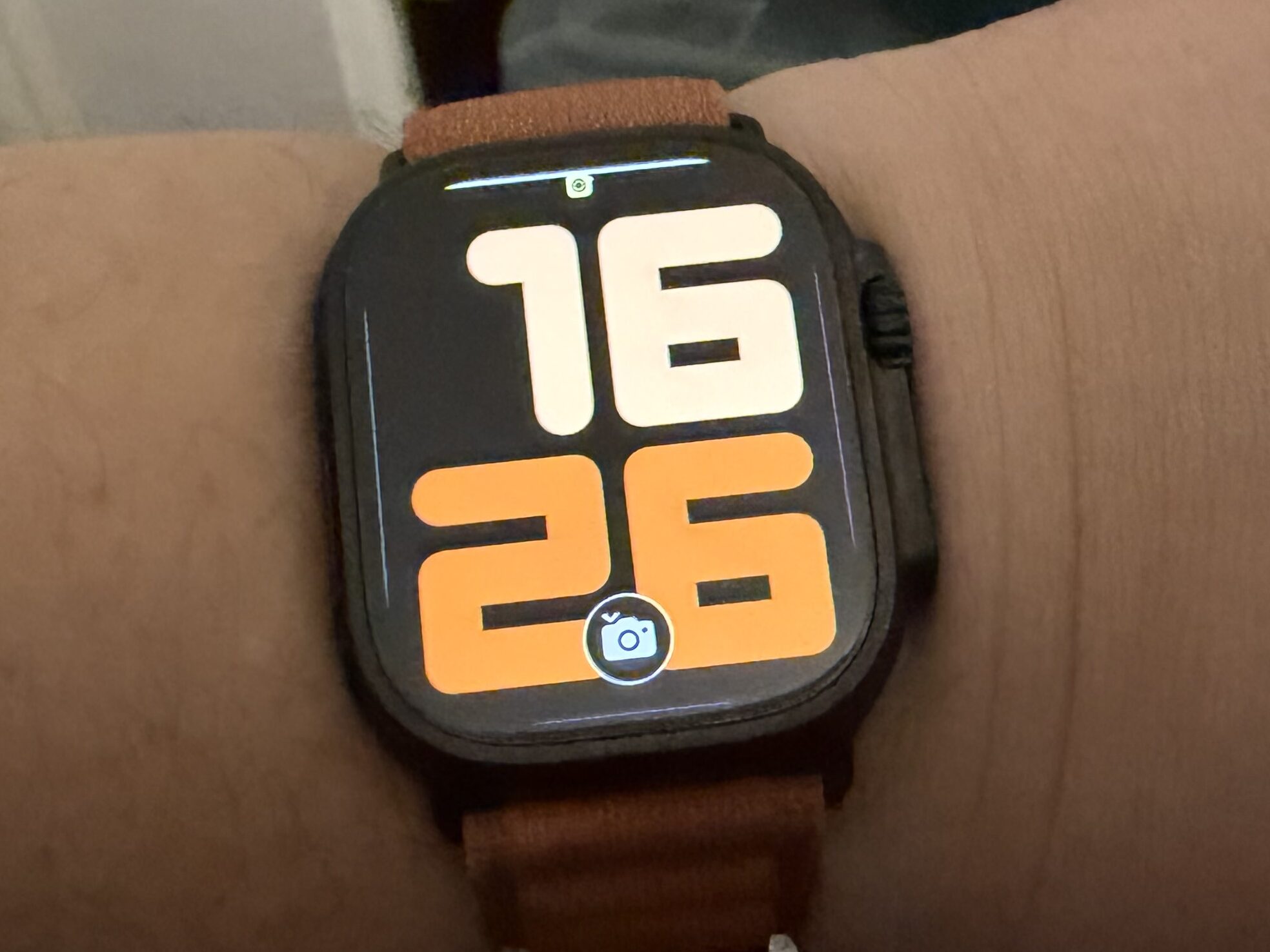
The iPhone 17 Pro Max gives me all the power, large screen and advanced accessibility features I need along with my Top 5 iPhone Apps for Users with Sight Loss.
Headphones
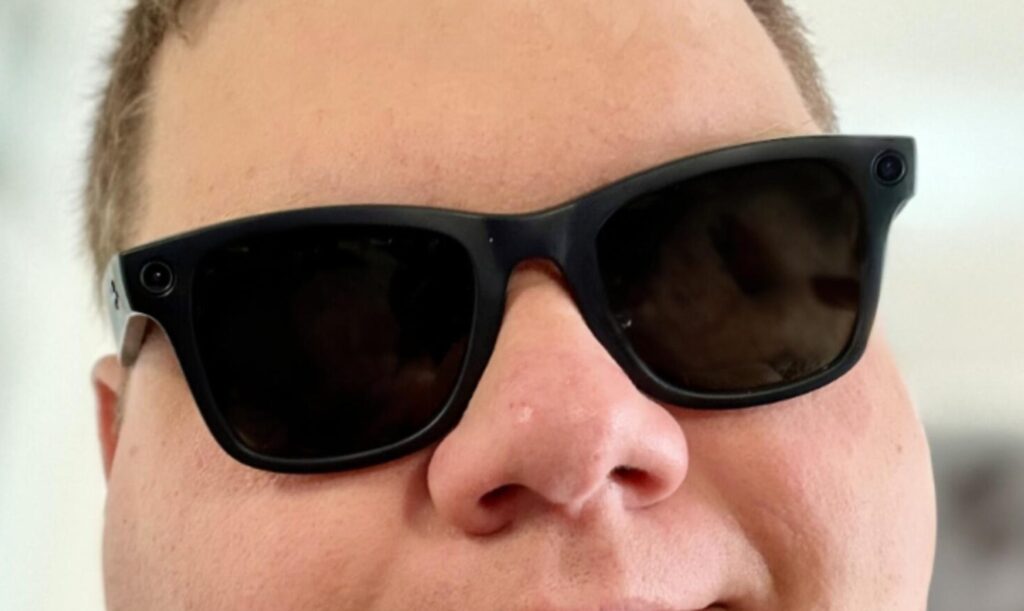
Being blind, headphones are necessary. I use a range of devices depending on the circumstances. I love my Meta Ray Ban Wayfarer (Gen 1) Smart Glasses, these are my favourite for using and I don’t leave the house without them. They are stylish, with the ability to take photos and call Be My Eyes.
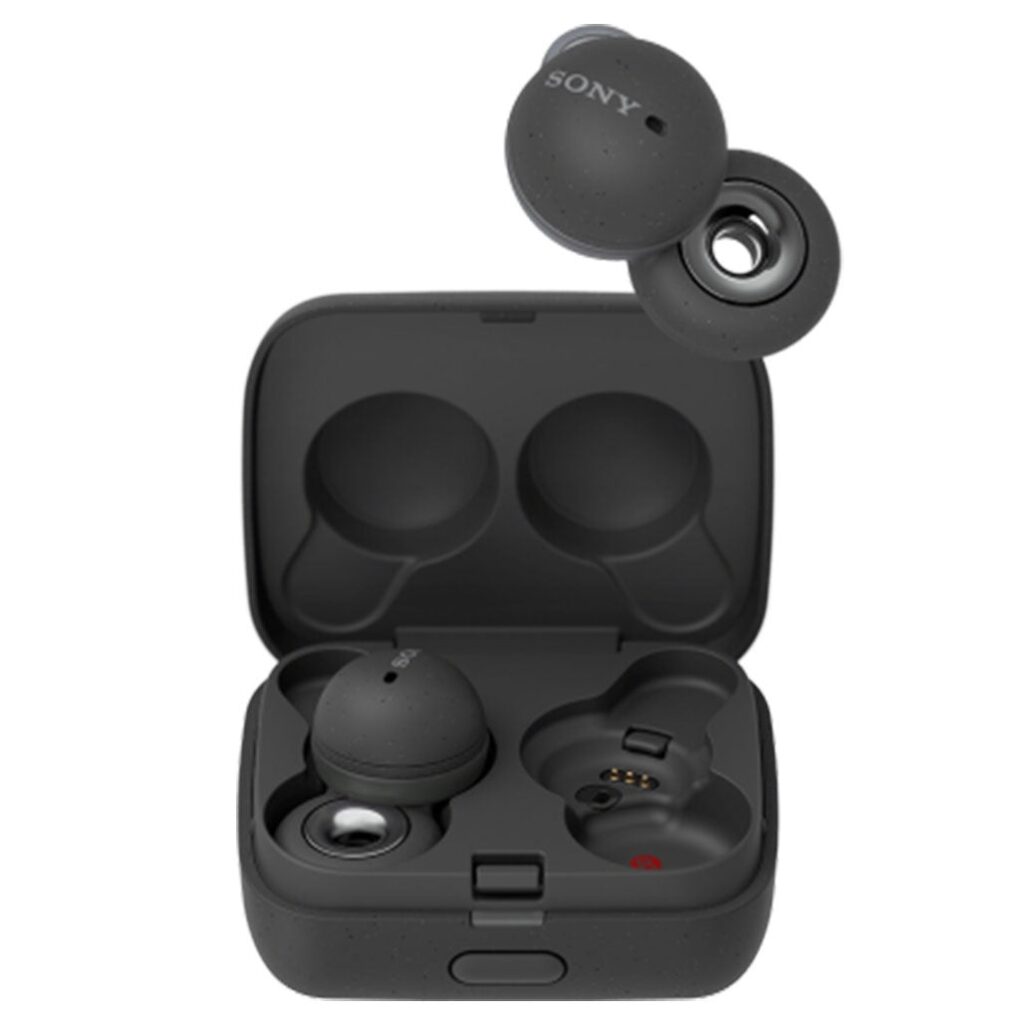
I haven’t used my Sony Linkbuds in 2025, in part due to being out and about less, and also due to the slight discomfort they cause. They are a unique donut design that sits in your ear but allows you full transparency and decent sound quality. They can be found on Amazon: Sony Link Buds on Amazon
2025 saw me upgrade to the Apple AirPod Pro’s 2 after the untimely demise of my Apple AirPod Pro’s. They are my go to for listening to podcasts while I go to sleep. I have an automation setup to play my podcast feed as soon as I put them in, saving me from getting distracted when I pick the phone up to put a podcast on.
The Comply Memory foam tips (Affiliate Link) have improved the comfort and provided a more secure fit for my AirPod Pro’s 2’s, they do need replacing more frequently, but it is worth it.
I also added Sony MDR-7506 headphones to my collection for use with my Macbook Pro; for Zoom calls, podcasting and editing.
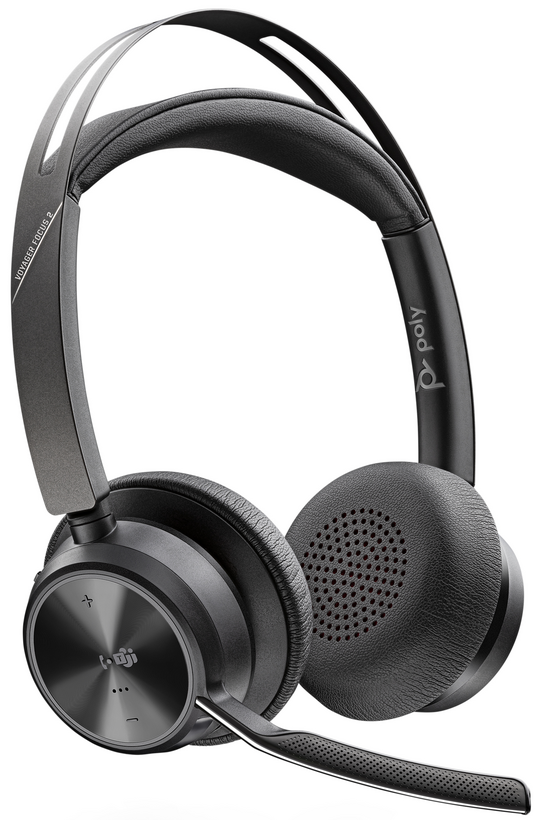
Finally, are my Poly Voyager Focus 2 Headset which provide noise cancellation for both audio playback and for the microphone. The most expensive headset I have purchased at nearly £300 (now under £200), but as I wear them for over 8 hours a day, they are worth it. The ability to lift your mic boom and have the call mute is the killer feature. The eighteen hours talk time and comfort make these my favourite. Being Bluetooth, the lag with JAWS is annoying and as I transition to a non-visual working pattern, I will need to consider going wired.
Note Taking
I started using the Plaud Note during 2025 and have found it to be fantastic for in-person meetings and capturing calls on my mobile. The ability to sit down for a meeting and know that you will have a good quality recording, the transcript and even the minutes allows you to focus on the conversation. The device isn’t approved for use by my employer, but I still get significant benefit from using it in my volunteer roles and capturing notes during medical appointments. Listen to my discussion about the Plaud Note with the troublesome duo, Steven and Shaun, on Double Tap from earlier in the year – watch the video below:
There is a new Plaud Note Pro with better battery life, automated transfer and improved microphones, Check out the Plaud Note Pro on Amazon (Affiiliate Link) Note that there is a subscription to be able to access some of the more advanced features. The app has been updated, but is still lacking accessibility.
Recording Equipment
In 2024, I started to do some more recording and invested in the following equipment:
- Microphone: Audio Technica ATR 2100X USB Cardoid Microphone (Affiliate Link). The Audio Technica has the option of XLR or USB connection, making it ideal as a first microphone, providing a path to using the XLR with mixers and more professional equipment. The USB plugs into the bottom of the microphone and then into the iPhone and it works immediately.
- Gimbal: Insta 360 Flow Pro (Affiliate Link) to help keep the camera footage stable and smooth. I picked the Insta 360 Flow Pro because it integrates with Apple Dock Kit, allowing the tracking to be used from any application. This was important as I expected the Insta 360 software to be less than accessible, which I was right to be wary of.
- Phone Stand: Cooper MagStand (Affiliate Link) Magsafe stand to hold the iPhone for video calls.
- Lights: Dual Selfie Clamp on Ring Lights (Affiliate Link) for consistent lighting when on calls/being interviewed.
In 2025, I expanded my recording equipment with the following:
- Sony MDR-7506 Studio Headphones – a comfortable pair of closed back headphones for monitoring and editing.
- Rode Wireles Pro Microphones (Affiliate Link) – Fantastic wireless microphones with full accessibility. Read my Finding Accessible Wireless Microphones article for more information.
- Focusrite Vocaster Two (Affiliate Link) – This has been a game changer for recording and Zoom calls, the ability to have more control over your Microphone and a button for mute has provided significant improvements in my audio quality.
I used the Rode Wireless Pro Microphones, Insta360 Flow and my iPhone 16 Pro Max to record the interviews at Sight Village Central in July. View the interviews from Sight Village Central for Lincoln and Lindsey Blind Society.
Braille Display
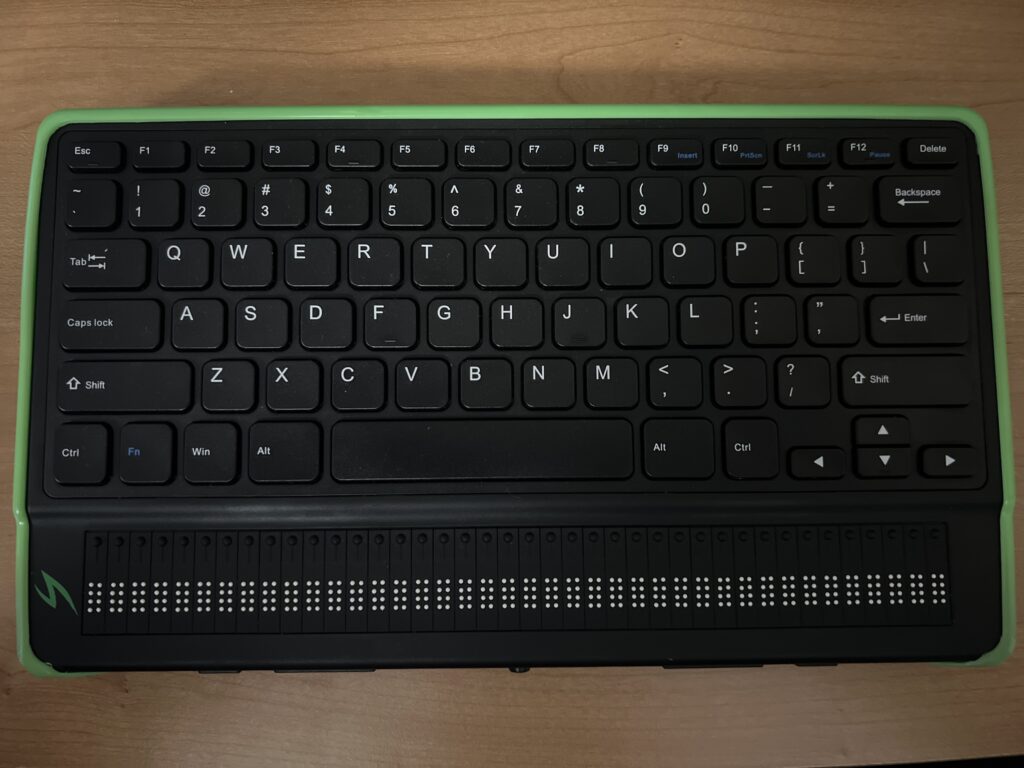
The Mantis Q40 by APH and Humanware is my main braille display. The combination of a qwerty keyboard and forty cell braille display make the perfect combination. I am still early in my braille journey, so having the QWERTY keyboard allows me to operate at full typing speed while getting the benefit of having braille at my fingertips. See my blog post on my Braille Journey to read about how I got started with Braille.
In October I received a DotPad X through my employer and Access To Work, alongside an iPad Air and pencil to allow my access assistant to replicate what is on the white board in meetings for me to feel. I am still in my early days of using the DotPad X, but being able to read more than one cell in Excel at a time is a real game changer.
Braille Embosser
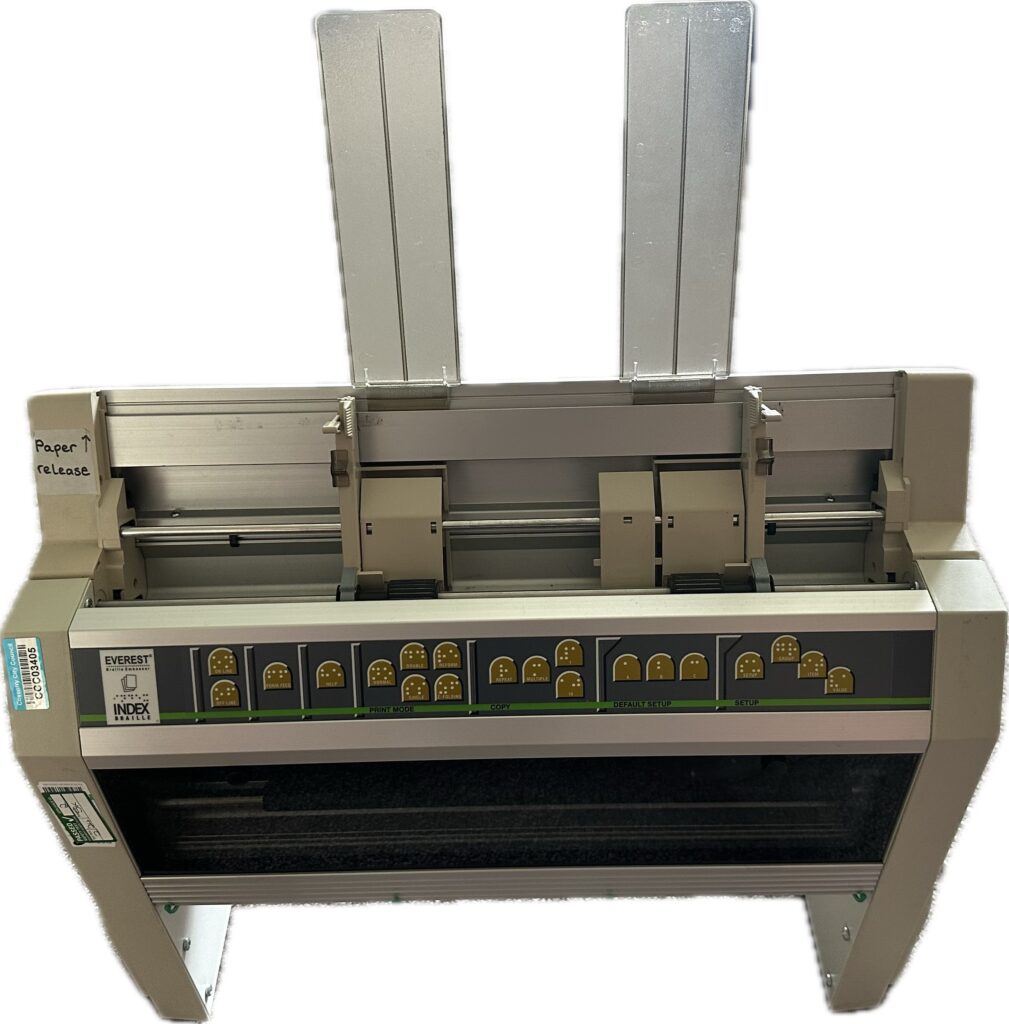
In 2024 I aquired an Index Everest V3 Braille embosser. This is my first embosser and I explain my journey in Extending my ways of Embossing Braille post. I haven’t been using it much in 2025. but it is good to know it is available when I need it.
Screen Reader and Magnification
I currently use Fusion 2025 from Freedom Scientific. Fusion is made up of JAWS and Zoomtext. The combination allows me to zoom and invert colours as needed while having all the power of JAWS to read the screen and navigate. I dropped to running just JAWS in 2024 to increase performance and also try to force a non-visual way of working. A year on and I am still on my journey to non-visual working, it is slow progress.
December 2023, I started using a Macbook Pro with VoiceOver for personal use, and I must say that I like the simplicity of the Mac and doubt I will be changing back. I also purchased a Mac Mini in 2024 to run as a Media server and allow me to retire my aging NAS for something a little more power efficient. I continue to enjoy using the Mac, but note that I still need to move away from using the Magnification as much as I do.
Other Software in My Blind Tech Setup
There are many other software products I use as part of my daily life, but the ones I must mention are Lire, SpeechCentral, Todoist, 1Password and browser extension Nighteye
Lire is a fantastic RSS reader for the Mac and iOS – I use it to help me follow multiple websites, saving me navigating crowded websites.
SpeechCentral is a really useful app available on Mac, iPhone, Android and Windows. It will read articles, documents and PDF’s to you in a range of voices. The contents are synced between Mac and iOS, but not on Windows or Android.
Todoist is a fantastic to-do list application available across platforms with Alexa integration. I use it to implement Getting Things Done by David Allen. GTD is a methodology to help you stay on top of what’s important. In 2024, I have been less vigerous with my GTD, and need to refresh my understanding and become more stringent.
I changed over from LastPass to 1Password in 2023 and only wish I had done it sooner. It is very accessible and has features like autopopulating your multi factor codes, which is a game changer for a low vision or blind user. 1Password is available on all platforms and I have had fantastic support from the team when I have had the odd need to contact them.
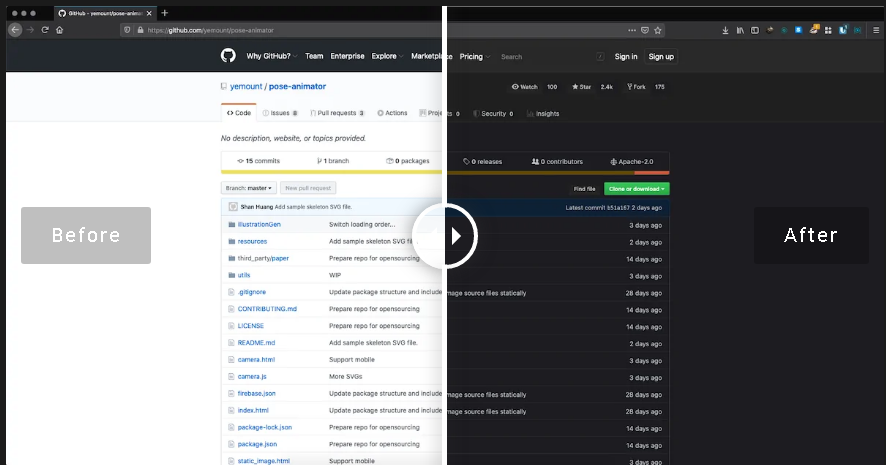
Nighteye is an extension for most browsers and turns any website into dark mode. This plugin saves my photophobic eyes multiple times per day. Check out my articles: How to turn any website to Dark Mode and How to get Dark Mode websites on iPhone and iPad
What should I include in my Blind Tech Setup 2026?
I am always looking to improve my setup, what would you recommend? What works well for you? Let me know in the comments.