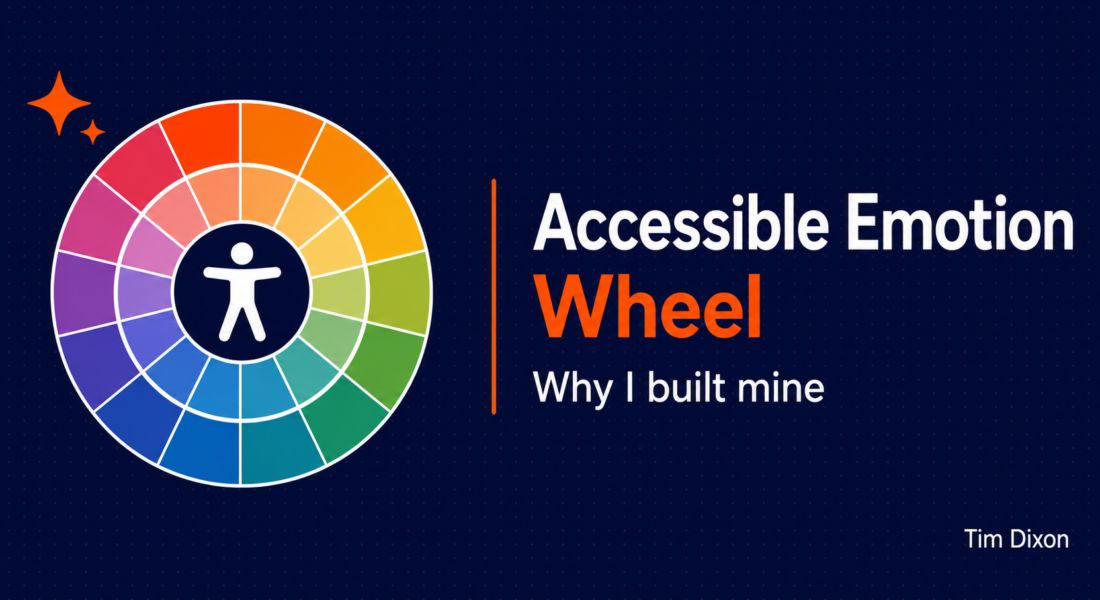
After struggling with my mental health for around 18 months, I eventually built an accessible emotion wheel to help me recognise, record and reflect on what I was feeling. At first, I thought the difficulties were connected to my continuing sight loss. That seemed like the obvious explanation.
Even after a lot of counselling, however, I was still experiencing burnout and fatigue. Anxiety could appear from nowhere. I would feel intensely frustrated and sometimes snap at people.
A mental health team suggested that I take an emotional regulation course. I have since been diagnosed with Combined ADHD, which provides some context for my own experience, but emotional regulation is relevant to everyone.
The course helped me become more aware of what I was feeling. It encouraged me to listen to my body, recognise the physical sensations connected to an emotion and think about what that emotion might be telling me.
Learning to recognise what I was feeling
Before taking the course, I did not always recognise an emotion until it had become overwhelming.
Anxiety seemed to come from nowhere. Frustration could build without me understanding what was behind it. By the time I noticed what was happening, I might already be exhausted or reacting sharply to someone.
The course encouraged me to pause and identify what I was feeling with more precision. It was not about judging the emotion as good or bad. It was about noticing it, naming it and considering how it related to the situation.
That has helped me become more in touch with my emotions and the physical signals that accompany them. It gives me a better opportunity to reflect and decide what action, if any, I need to take.
This is still something I am learning. An emotion wheel does not make difficult feelings disappear, but it can provide useful language when “fine”, “sad” or “angry” does not tell the whole story.
Why I needed an accessible emotion wheel
As part of the course, I was given an emotion wheel. The wheel has three layers.
The inner circle contains broad and familiar emotions such as anger, disgust, sadness, happiness, surprise and fear. The next layer provides more specific emotions, while the outer circle becomes more granular again.
Visually, this works well. You start in the centre and move outwards until you find a word that more accurately describes what you are feeling.
Being blind, I could not use it in that way.
The digital version was an image, with words arranged around several circles and at different angles. It was not accessible to my screen reader. The paper version presented the fairly predictable problem that it was on paper.
I could have copied the information into an Excel spreadsheet and recorded my emotions there. However, a spreadsheet would not naturally guide me through the three layers of the wheel. I also wanted something quick enough to use regularly, without turning the act of recording an emotion into another piece of administration.
Support only works when the person receiving it can access it.
Building an accessible emotion wheel
I decided to turn the wheel into a simple process. Rather than exploring a visual circle, I could select a broad emotion, move to the next layer and then choose a more precise description if I wanted one.
This would preserve the useful structure of the emotion wheel without relying on its visual layout.
AI helped me extract the words from the original image. It was useful, but it was not magic. Text placed at different angles around several circles is difficult for AI to interpret accurately, so the results needed to be checked.
I then asked AI to help me create the app in HTML. I wanted it to work as a website, store its information locally and be simple enough to host using GitHub Pages.
AI also helped as I tested and refined the design. I could explain where something was inaccessible or awkward, then work through possible changes.
For me, this is a good example of how AI can help remove an accessibility barrier. It did not replace my judgement or lived experience. I still had to check the information, test the app and explain what was not working.
Recording emotions with the accessible emotion wheel
The Emotion Wheel app has different capture options.
Phase 1 keeps things simple. You select an emotion from the inner, middle or outer layer and record it. This can help make emotion tracking a regular habit without asking you to complete a long form each time.
Phase 2 adds guided reflection. Alongside the emotion, you can record:
- whether the emotion felt appropriate to the situation;
- the strength of emotion you expected;
- the strength you actually experienced;
- physical sensations associated with the emotion;
- an optional note about what was happening.
The app can compare the expected and actual intensity. This can help identify situations where the strength of an emotional response was higher or lower than expected.
These fields are optional. The aim is not to make people capture more information than they need. It is to provide different levels of detail depending on where they are in the process and what they find useful.
Looking for emotional patterns
Recording an emotion in the moment is only one part of the process. I also wanted to be able to look back and reflect.
The app provides logs, tallies, written insights, charts and matching data tables. You can review entries by day, week, month or across all of your recorded information.
This can show which emotions you record most frequently and how your logging changes over time. You can also revisit situations where the emotion you experienced differed from the level you expected.
Charts are accompanied by written summaries and data tables, so the insight is not available only through a visual graphic. Colour is not used as the only way to communicate information.
The app also includes keyboard and screen-reader support, visible focus indicators and a choice of light, dark and muted themes. My aim is to remove barriers rather than simply create a digital version of the inaccessible image I started with.
Keeping your accessible emotion wheel data private
Emotion records can contain very personal information, so I wanted the app to keep them on the user’s device.
Your emotions, reflection answers, intensity values, physical sensations and notes are stored in your browser’s local storage. They are not sent to an online database, and you do not need to create an account.
The trade-off is that the information does not automatically follow you to another browser or device. If you want to move it to another machine or keep a backup, you need to export it manually.
The app provides CSV exports and JSON backup options. Clearing the browser’s site data can remove the saved records, so creating a backup is important if you want to keep them.
The app is a personal reflection tool, not a medical service, emergency service or clinical record. Its privacy information explains in more detail what is stored and what happens when you export or share information.
Making support genuinely accessible
I built this accessible emotion wheel because I needed a practical way to use something that had been recommended to support me.
The original resource was useful in principle, but its format created a barrier. Converting it into an accessible process has allowed me to track my emotions, reflect on patterns and become more aware of what my body may be telling me.
I have decided to share the app because I hope it makes capturing emotions easier for other people and removes some of the barriers I faced.
Not everyone will want to track their emotions in the same way, and this tool will not be right for everyone. However, support should not become less useful simply because it was supplied in an inaccessible format.
AI can help us change that. It can help extract information, create new interfaces and respond to accessibility feedback. It still needs human checking, accessible testing and the perspective of the people who will actually use the result.
Most importantly, I think greater awareness of our emotions can help us respond with more kindness. That includes kindness towards other people, but it also means being kinder to ourselves.
You can try the app at emotionwheel.timdixon.net. It is free and open source on GitHub.
Tell me what you think in the comments below or on X @timdixon82